AI Revives a Dead Sleep Company
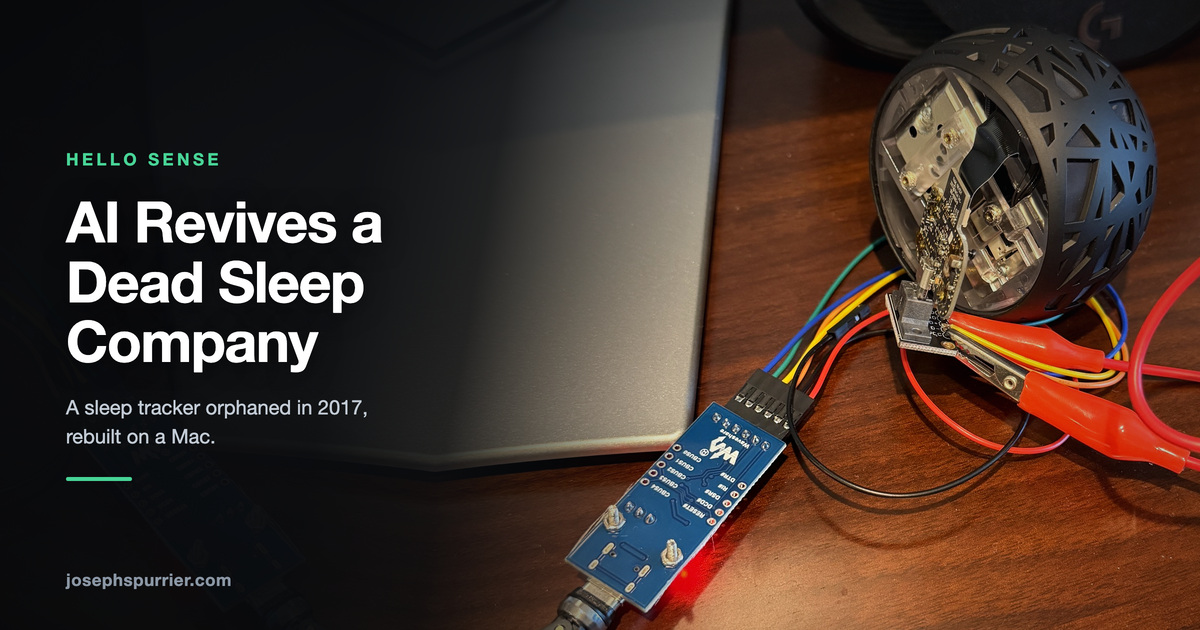 |
TL;DR: I used Claude to revive a sleep monitoring device from a company that went under 10 years ago that also received over $40M in investments. I used a few widely accessible tools to reflash the devices, found the repositories on GitHub, and rebuilt most of the software stack to run on my Mac with full feature parity.
It’s been a year since I started using agentic AI to build software. The discovery of its pretty amazing talents led to me working on many projects, from greenfield to repurposing old tech that I thought was going to end up in the trash. My first project was an operating system that functioned purely in a web browser. Cursor built out the desktop, menu, and then applications on top of it. I gave it a list of ancient games and it had no trouble plugging them right into the OS. This was a project I attempted many times but ultimately fell short for various reasons. My latest project was reviving a sleep monitor that sat next to my bed 10 years ago.
The Hello Sense sleep system was a gift I received for Christmas and I loved the tech gadget because it gave me a sleep score every night based on a number of variables: temperature, humidity, brightness, air quality, noise level, and movement. The Sense was a glowing orb you could wave your hand over to silence an alarm or just see if the current sleeping conditions were optimal. It also came with a little device called a sleep pill that clipped on your pillow to provide feedback on your movement, which provided greater accuracy on when you hopped into bed, changed positions while sleeping, or got up to start the day. The trends over the weeks and months I found most helpful, because it was usually good at pinpointing when I wasn’t prioritizing my sleep, which motivated me to get back on the consistency horse.
The best part was no subscription. You bought the device once and it worked - until the company closed up shop in June 2017 and shut down their servers. That may have been one of the factors leading to their demise. Hello successfully navigated a $40M financing round in June of 2015 after a successful $2.4M Kickstarter. I learned of the shutdown when I no longer received morning notifications of my sleep score and then the app stopped showing any data at all.
Moving to Boston
For the last 10 years, the device lived in my closet. Life and sleep both continued unscored. Right before my move from Maryland to Boston, I rediscovered the orb and decided to take it along with me in the move. “Maybe with AI, I could somehow repurpose this device,” I thought. Two nights before the move, I started up Claude (Opus 4.6) just to see what it could do with this defunct hardware.
At first, Claude searched the internet and found the company released almost all of their software on GitHub. I couldn’t believe it. For a company with a significant investment, they had published the iOS app, backend services, database schema, playbooks for AWS, sleep models, firmware - all of it was on GitHub. At this point in my AI journey, I was well aware that agents could easily wire together services on its own. Even without manuals, AI is extremely competent at analyzing codebases, making code changes, testing, and even refactoring to run outside of AWS and on a Mac. And that’s exactly what it did.
Diving into the Hardware
Rebuilding the 16-service architecture was the easier part, believe it or not. The real challenge was the hardware. The Sense orb received its power through a USB port and was previously network connected over Wi-Fi. I plugged the orb into my computer and told Claude to start.
Overnight Session (Tue Jul 14, 2026)
| Time | Event |
|---|---|
| 12:30 AM | Project starts: “I have a product called the Sense which is by a company called Hello…” |
| 12:39 AM | Orb located on the LAN, 10.0.0.33 / XX:XX:XX:XX:XX:XX |
| 12:50 AM | Port scan attempted, nothing usable to connect to |
| 12:57 AM | Pivot to BLE |
| 1:15 AM | scan_sense.py written (BLE scan over the morpheus_ble protobuf) |
| 1:26 AM | Decision to move it to dev network |
| 1:32 AM | set_wifi.py written |
| 1:38 AM | First orb traffic ever seen, 10.0.0.35 -> time.hello.is through the DNS intercept |
| 1:57 AM | The wall: Time sync error ... Wire format was corrupt, the AES signing problem |
| 2:51 AM | “Would it be possible to break the encryption?” |
| 3:23 AM | Research turns to UART over the micro-USB port |
| 3:42 AM | FT232RL adapter picked out |
| 3:45 AM | “It does turn yellow when plugged into my computer”, debug mode confirmed reachable |
The device still had the network credentials, so the AI detected it broadcasting but was unable to connect to it. Claude then switched to Bluetooth and found it could connect to the device and issue a few commands - one of which was setting the wireless network, which was what the iOS app did when you first received the orb and plugged it into the wall for the initial setup process.
I knew from my undergrad education in digital forensics that if I could set it up on a network where I could control DNS (Domain Name System), I could listen for which URLs the device was trying to connect to (which happened to be *.hello.is) and return an IP address for my computer, which could then intercept the traffic. I pulled out my portable Zyxel router, connected it to my network, and then set DNS to point at my Mac.
Claude did the next steps for me: wrote the script to set the network info via Bluetooth, set up a simple DNS service to return my Mac IP for those domains, and then launched a Python service to log the incoming requests. The first requests from the orb appeared on my screen, and I knew I was making progress.
Encrypted by Design
Whenever you build software that has a client and a server, you often implement encryption to protect the information flowing back and forth. Without encryption, you can connect to a wired or wireless network, open up a packet sniffer and see in plaintext the requests and responses transacting. That’s obviously dangerous because information like your username/password or SSN that you fill in on websites could easily be read by other people on the same network.
The Hello company did what they were supposed to and encrypted their traffic. On the few GitHub repos where engineers attempted to resurrect this system, this is typically where progress stopped. Even though Hello published their software, they (rightly) did not publish the encryption keys for each of the devices. Every device that left the factory was provisioned with a unique 128-bit AES encryption key. Practically speaking, in order to break 128-bit AES encryption, it would take the entire Bitcoin network, repurposed, about 5 billion years to do it. That’s great protection for us as consumers, but it makes it impossible to read the traffic, rendering the project useless.
In order to move forward, the goal was not to break the encryption, but to extract the encryption key or change it to something we knew. Luckily for us, we figured out how to do both. Claude found a GitHub issue that explained how a Hello engineer tested software on the Sense using a special USB cable. Others in the community followed those instructions to get the orb into debug mode, which flashed the orb in yellow. That gave access to diagnostic information like where the orb was failing to get proper responses back from our test Python service. What they couldn’t figure out was how to get into CC3200 bootloader mode, which provided access to low-level systems like the bootloader and the file storage.
Claude figured it out.
Sense Wiring (Tue Jul 21)
| Time | Event |
|---|---|
| 10:56 PM | The 5-slot screw terminal, mapping “backwards S, +, D-, D+, -” to the FTDI |
| 11:17 PM | “Ok, it’s in debug mode. Let’s test it” |
| 11:18 PM | screen /dev/tty.usbserial-BG03FN9A 115200 |
| 11:57 PM | Cable opened up to trace which color goes to which pin |
Note: This is where it’s going to get technical and I’m not an electrical engineer - I’m a software guy who started in IT support with data center and cloud experience. Claude has the electrical experience that I leveraged.
Like any good project, you have to spend money. Claude recommended I buy these parts:
- Micro-USB male breakout board - Treedix USB MicroB Plug Breakout Board (B09JC7JPGN) - plugs into the Sense’s port and breaks out VBUS / D- / D+ / ID / GND.
- 3.3V-capable USB-UART adapter - FT232 USB-UART board, FT232RL, 5V/3.3V (B0CSYVXH8L) - the 3V3/5V jumper is important.
Getting the breakout to physically fit the Sense’s port: the micro-USB connector is recessed, so to seat the breakout you have to partially disassemble the sphere:
- Remove the 4 screws on the bottom.
- Remove the screws holding the light ring and the internal board, so the board lifts enough for the breakout to plug into the micro-USB port.
 |
| Sense Wiring breakout board and adapter |
I wired them together based on the instructions I found online and was able to get the device into DEBUG mode, but I couldn’t get into the bootloader.
Probe Scripts (Sun Jul 26)
After I completed my move to Boston, I continued the bootloader troubleshooting. Claude generated another six throwaway scripts in 24 minutes:
| Time | Script | Hypothesis being tested |
|---|---|---|
| 11:24 AM | cc3200_read_key.py |
the straightforward attempt |
| 11:25 AM | cc3200_debug.py |
what is actually on the wire |
| 11:31 AM | cc3200_raw_read.py |
bypass the tool |
| 11:38 AM | cc3200_load_stub.py |
is the stub upload the failure |
| 11:40 AM | cc3200_baud_scan.py |
“in case the handoff changes the UART speed” |
| 11:48 AM | cc3200_rts_switch.py |
SOP2 polarity through the switch, four strategies A/B/C/D |
A micro-USB cable has 5 wires: VCC (power), GND (ground), D+ (data plus), D- (data minus), and ID. In a typical cable, the ID wire is connected to GND. The community originally thought the ID wire was supposed to be connected to 5V for programming. That did partly work, but SWITCH_2_APPS, the handoff from the ROM bootloader to the APPS bootloader that cc3200tool needed for flash access, died silently every time.
The last one is where the reasoning turned:
Test SWITCH_2_APPS while controlling SOP2 via FTDI RTS.
Wiring: ID (SOP2) -> FTDI RTS (was hardwired to 5V).
Bootloader Breakthrough
TL;DR: I connected the ID wire to RTS and the VBUS to 5V while everything else stayed on 3.3V.
| Time | Who | Message | What changed |
|---|---|---|---|
| 11:48 AM | model | (cc3200_rts_switch.py docstring) |
Reframed ID as SOP2, driven by RTS rather than held at a static level |
| 11:56 AM | user | “Hmm, I heard that the devs at Hello did have a special USB cable that they used to do programming of it. What does that mean for your conclusions?” | Reframed the problem toward driven control lines, opening the DTR branch |
| 5:51 PM | user | “Can’t I simulate the reset somehow and yes, how do we do the power wiring?” | Killed the DTR dead end: a power cycle is the reset, no soldering to the RST pad needed |
| 5:54 PM | user | “Doesn’t the power come from both the 5v and 3v3 pin and it’s just the jumper that goes between one of them and the VCCIO pin what gives the VCCIO pin power?” | Found the root cause |
| 6:00 PM | user | “Ok I did that, try now” | 3.3V logic in place; SWITCH_2_APPS completes and the flash opens |
The insight came from TI’s own documentation (ID on that connector is the CC3200’s SOP2 bootloader-select pin) plus the fact that cc3200tool ships a --sop2 option accepting ~rts. A tool does not offer to drive a pin from a modem control line unless the reference hardware does exactly that. The question stopped being “5V or ground” and became “which FTDI control line”.
The 5:54 PM question is the whole thing. The jumper sets VCCIO, which sets the logic swing on TXD, RXD and RTS. On 3V3 the signals swing 3.3V while the orb still takes its 5V from the board’s separate VBUS pin. The CC3200 is not 5V-tolerant on I/O, and the 5V swing had been killing the handoff at every baud rate.
Two minutes later, at 6:02 PM, key.aes (the encryption key) was written to disk.
TI docs supplied the SOP2/RTS concept, brute empiricism ruled out baud rate and polarity, the cable hint killed a dead end, and the jumper question found the real bug. The model did not reason its way to 3.3V; it had assumed the wiring was fine and was hunting in the protocol.
Same Evening: Key to Live Data in Four Hours
| Time | Event |
|---|---|
| 6:05 PM | Full flash backup pulled to sense_fs_backup/ before touching anything |
| 8:30 to 8:34 PM | TLS reconnaissance (tls_probe.py, go_tls_probe.go, tlslite_probe.py). Modern TLS libraries reject the orb’s handshake, so tlslite-ng in pure Python became the answer |
| 8:50 PM | Own CA generated and written to the device, with the server cert dated 1950 to survive the orb’s 70-years-behind clock |
| 9:00 PM | WiFi locked to WPA2 over the console |
| 10:43 PM | Pivot: “Now that we have the Sense Orb responding properly, I want to get the web services running locally using docker compose” |
| 10:45 PM | “Honestly, I really want the iPhone app as well” |
Once we had the encryption key, the project was humming. The Hello team also rightly used a CA (Certificate Authority) to validate certificates when sending out their encrypted traffic. I generated my own SSL certificate, but the orb was rejecting it. Claude updated the CA bundle with my certificate so that the final security measure was handled. Claude then set up the web services locally - all 16 of the Hello services. For the AWS services, it found containers of DynamoDB and leveraged LocalStack to reproduce what Hello built for the cloud. The system was ready for its first test.
Unsuccessful First Sleep Score and iOS App (Mon Jul 27)
| Time | Event |
|---|---|
| 12:22 AM | Backend services up |
| 12:35 AM | “Do I have a sleep score yet?” - Nope |
| 12:42 AM | Timeline HMM model hunt begins. normal3 seeds turn out to be in suripu’s test fixtures; taimurain’s neural net weights were never committed anywhere |
| 8:51 AM | “See if you received readings overnight.” First real night of data |
| 9:17 AM to 12:24 PM | suripu-ios revived: Swift 3 migration, pods replaced, Zendesk SDK stripped. Running on the phone by 11:20 AM, logged in at 11:41 AM, then a long tail of dark-mode and tab-bar bugs |
| 6:36 PM | Sense and Sleep Pill screen blank, which exposes the second Kinesis worker that feeds Last Seen, WiFi and Firmware |
| 6:49 to 7:25 PM | BLE pairing fails until the discovery that the orb ignores unbonded phones. Press the button first |
| 9:09 PM | First alarm test. “It just seemed like it was a minute late”, the minute-floored countdown bug |
| 10:06 PM | “Let’s try to figure out the AES-encrypted per-pill key.” That question consumed the next two weeks |
The sleep data started flowing but there were still missing pieces. The sleep pill that attached to my pillow was pairing with my system, but it was also sending encrypted data and had its own unique encryption key, so the service couldn’t read it. There were also missing machine learning models used to score the sleep.
Sleep Pill Flashing
While Claude worked through other bugs, like updating iOS libraries that were 10 years out of date and fixing UI strangeness, I also had it try to get the pill encryption key, which was also not accessible via Bluetooth. We then decided to try to flash the firmware via Bluetooth, which was possible: build kodobannin from source, push it over BLE DFU, and read the key out of a firmware under our control.
Same Night: Toolchain Build
| Time | Event |
|---|---|
| 11:39 PM | “Yes, let’s start the toolchain build” |
| 11:52 PM | nrf51sdk_src/ |
| 11:54 PM | nrf-build/ (the GCC 4.7 container) |
| 12:18 AM | pill_dfu_flash.py written |
| 12:21 AM | “Yep, let’s run it” |
| 12:35 AM | “I tried the pill monitor and even after shaking and putting in a battery, no response.” |
Details are important. The Hello folks released multiple versions of their sleep pill - a v1 with a removable battery and a v1.5 with a permanent battery (ugh, I know). Mine was v1. Unfortunately, in our haste, Claude and I built and flashed v1.5, and it caused the pill to stop responding.
Fourteen minutes from flash to brick.
The Diagnosis (Aug 2, 6:50 PM)
A potential replacement pill arrived from eBay, but it turned out to be the one for the voice Sense model (I had the non-voice model). Counting the through-holes in the circuit board gave it away:
6:40 PM “This has a cluster of 10 through holes, not 6. The original pill had 6 holes.”
6:50 PM “Now I’m concerned. You mentioned that the flash we did matched exactly this version, but the hardware is indeed different between the two.”
That is the moment the brick got explained, five days after it happened. The build had matched a real Hello binary perfectly, which is exactly why nobody questioned it. It was the right firmware for the wrong board.
Why it Bricked
What went on the device was a pillx_DVT1 image, the Pill 1.5 platform. The pill is pill_PVT1, the original v1. The two share a chip and nothing else that matters:
| Signal | v1 (pill_PVT1) | v1.5 (pillx_DVT1) |
|---|---|---|
| SPI nCS | 29 | 13 |
| SPI SCLK | 13 | 15 |
| SPI MOSI | 15 | 9 |
| SPI MISO | 25 | 11 |
| IMU INT | 23 | 16 |
| IMU VDD | none | 20 |
| UART TX / RX | 18 / 19 | 19 / 18 |
Every pin the firmware drives was wrong. By 12:52 AM the free recovery routes were being tried, by 12:58 AM the question was what to buy, and by 8:30 AM on Jul 28 pogo pins were being sourced. pill_swd_recovery.md was written at 9:04 AM.
To flash the pill, Claude suggested another list of parts:
- SEGGER J-Link EDU Mini - JTAG/SWD Debugger
- SWD (2x5 1.27mm) Cable Breakout Board
- 1 pc 2x3 position 1.27mm pitch Pogo Pin Adapter for ICSP ISP SPI programming
Recovery Day (Aug 10)
After wiring, internal pill access came up around 2 AM. Then eleven hours of flashing, timestamped by the artifacts:
| Time | Work | Result |
|---|---|---|
| 2:18 AM | check_voltage.jlink |
probing |
| 2:55 to 3:11 AM | bootloader and app settings experiments | no |
| 3:47 AM | doraemon_pill.bin + bootloader + uicr (factory image) |
alive, ANT heartbeats at 5:21, 6:21, 7:21, 8:21 |
| 9:22 to 9:51 AM | erase, then locally built bootloader.bin |
pill goes silent after 8:21 |
| 10:04 to 10:31 AM | factory pillx_DVT1 set, factory process | the wrong platform again, deliberately, for comparison |
| 11:24 AM | debug_spi.jlink |
the WHO_AM_I 0x00 chase, which was just SPI on wrong pins |
| 11:50 AM | pill_app_signed.bin, self-built 1.2.1 on the correct platform |
BLE alive, ANT dead |
| 12:22 PM onward | 15 pairing attempts | every one a 30.5s ANT timeout |
| 1:22 PM | factory pill_pvt set, app 0.9.3 |
ANT restored, POST /in/pill every 60s |
The proof arrived mid-morning:
- 11:37 AM “Revert to the clean 1.7.2 tag. Try to compile to see if it matches their binary.” It did, byte for byte, against what was sitting on the device.
- 11:43 AM “The original brick was us flashing the wrong firmware on it.”
- 11:46 AM “We accidentally flashed the 1.5 on it.”
Two corrections came out of that day. The v1 target does not build past 1.2.1, because pill/message_imu.c starts calling IMU APIs that only exist in the 1.5 driver. And the break begins at 1.3.0, not 1.7.2 as first recorded. The v1 driver was simply never kept in sync after the Pill 1.5 was introduced.
ANT was not working in the firmware we were flashing. Most people have heard of Bluetooth but probably not ANT. They are both radios but have different jobs. ANT uses an open broadcast model, meaning it can send data to an unlimited number of receivers, whereas Bluetooth is connection oriented (one-to-one). The pill’s nRF51422 is one of the few Nordic parts that runs both stacks at once (that is what the S310 SoftDevice is, BLE plus ANT). Everything the pill exists to do goes over ANT, to the Sense, never to your phone.
Why ANT and not BLE (Bluetooth Low Energy) for this data sending? Power savings. ANT in the async scheme is a background broadcast, no connection state, no pairing handshake, no supervision timeouts meaning really low power usage. The pill has to run a year (2 years as advertised) on a coin battery while sampling an accelerometer all night. BLE connections are far more expensive to hold.
Why the Self-Built Image had no ANT (Aug 16)
The answer to the ANT problem was in the Hello git history, not the hardware.
Commit cb4becff, “changed from async to synchronous transmit mode”, March 2016, first shipping in tag 1.1.1:
| Scheme | Tags | Implementation |
|---|---|---|
| async | up to 1.0.3, and factory 0.9.3 | CHANNEL_TYPE_MASTER_TX_ONLY + EXT_PARAM_ASYNC_TX_MODE, background broadcast, no sd_ant_channel_open |
| sync | 1.1.1 and later, including 1.2.1 | CHANNEL_TYPE_MASTER + sd_ant_channel_open, periodic channel |
The pill and the Sense’s nRF51 top board are built from the same ant/ant_driver.c, so both ends must use the same scheme. This Sense pairs with the async 0.9.3 pill, so its top board is on the async scheme, and a sync pill cannot form the link. BLE is a separate stack, which is why the 1.2.1 image looked half-alive.
The fix is tag 1.0.3, the newest tag that is simultaneously async, still builds for pill_PVT1, and defines USE_HLO_ANT_NETWORK for the real key. Validation used the kitsune trick: a source build of 0.9.3 came out byte-identical to the factory doraemon image (40,908 bytes, sha1 c9b58fa501975a97c306caab12c096951bfa8e4c), proving the GCC 4.7 pipeline reproduces a known-good-ANT pill.
The whole detour cost 19 days, and the root cause was a platform target chosen at midnight.
Our First Sleep Score
Once we were able to get the sleep pill wired correctly (with me tediously holding the microscopic pogo pins against the circuit board), we got it flashed, grabbed the encryption key, and added it to our database.
It Works End to End (Aug 11)
- 6:37 AM, first night with both devices, tab 1 errors, a missing DynamoDB table
- 6:47 AM “That worked!” Then the black-screen calendar transition bug.
After a night of rest, we finally got a sleep score.
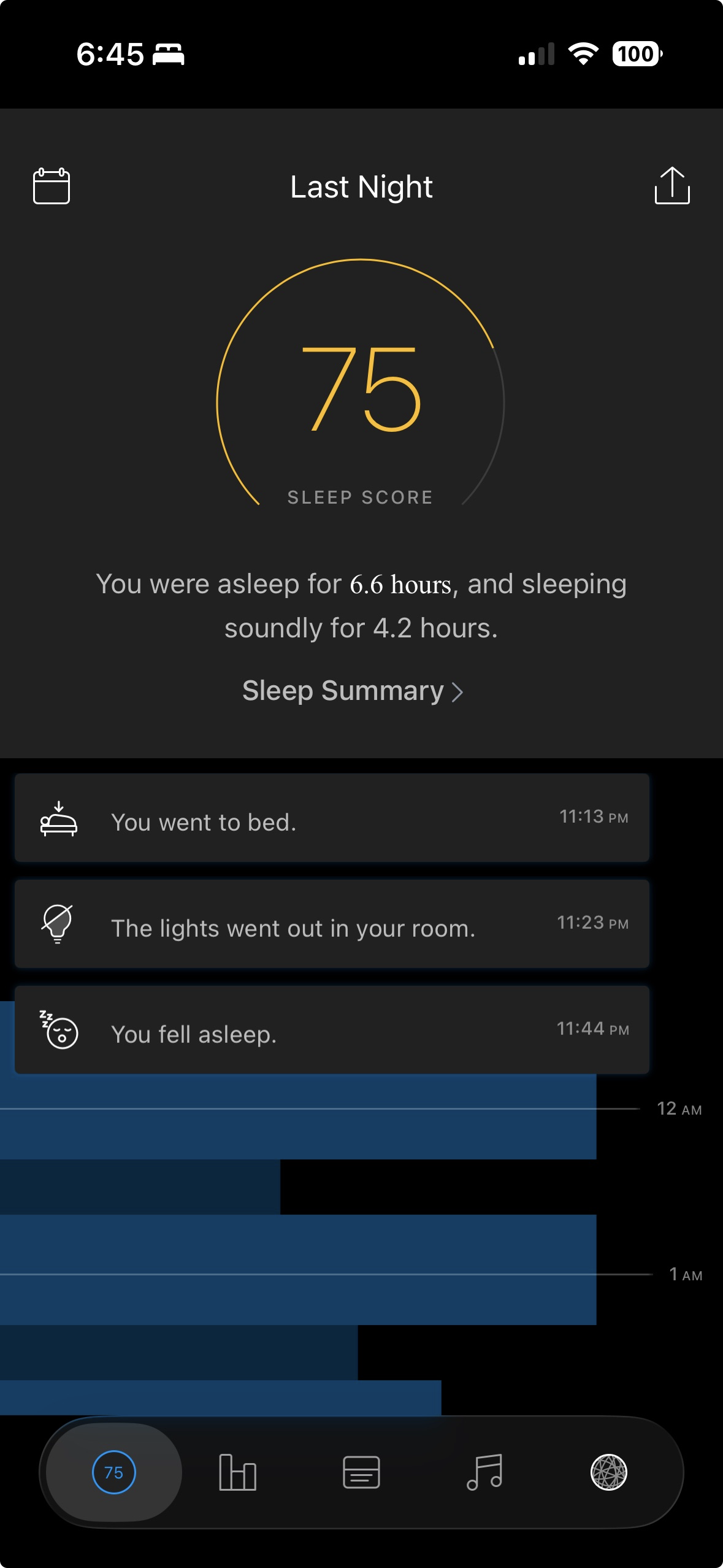 |
| iOS App first successful night |
Over the next couple of weeks, we did nightly operation and tuning. We pored over feature gates, rescoring, room conditions, push notification timing, ONLINE_HMM versus Voting, the timeline feedback that was being learned from but never displayed, and a suspicious median temperature. After a few weeks with the Java services, I wanted to consolidate:
| Time | Event |
|---|---|
| Aug 10, 4:34 PM | “How difficult would it be to rewrite all the services into a single Go service?” The idea that shaped the rest of the month |
The afternoon in between turned architectural: Dynamo versus Postgres, insights generator, push notifications, missing services, iOS UI bugs.
The Cutover (Aug 26 to 28)
| Time | Event |
|---|---|
| Aug 26, 11:36 AM | “At this point, how much of the old system vs the new system is running?” |
| Aug 26, 2:22 PM | The last four endpoints moved to the Go orb |
| Aug 28, 7:18 PM | “I think we are at the point where we can shutdown the old services” |
| Aug 28, 7:25 PM | “Let’s cut over everything” |
| Aug 28, 8:05 PM | Eleven JVMs down to one Go binary plus Postgres, docker packaged for Linux and Mac |
The process took around a month and a half: two weeks to get inside the orb, three weeks to rebuild everything around it.
Closing Thoughts
I’m really excited to have the sleep monitor back up and running, locally controlled, and optimized for a single user. It was a device I found a lot of value in, and now I will continue to fix bugs and may even add features that didn’t exist originally. I know there were others trying to bring this back to life, so I’ve linked all the work below in the GitHub repo.
The output of this experiment is on GitHub: https://github.com/josephspurrier/hello-sense.
Note on AI: Over the last few months, it’s become clear to me that engineering will change in significant ways due to the advance of AI. And it’s not just engineering; many industries will change. What took me a few weeks wouldn’t have been possible (for me) to do without AI. It would have taken months, maybe over a year, and who knows how many hours, or how many times I would have given up or hit a wall. We don’t have a good idea of how AI will change things, but we know it will. My suggestion is if you want to invest your time in something, AI is it. We all need to keep learning and improving our skills because it enriches the mind and the soul. If you want to continue being successful in a world where everyone else is using it to their advantage, you need to understand how you can use it for yours. If nothing more, use AI to give you back time so you can choose how to spend it.